Thursday, June 12, 2014

Unit 54, Task 4 - Review

Planning

In my head, the Poster/CD Cover ect would have the backdrop of the Victorian Village, so I took a couple stills of the chimneys surrounding the area, which I used for the actual poster. I had pre planned for the poster to show Tobias in the foreground and Miss Stone somewhere behind, both facial expressions will be mysterious; Tobias would be more agitated and Miss Stone would seem confident and suspicious.

(Poster is too large to be placed into this blog post)

Time

Photoshop is not my strong point. Producing the Poster, DVD sleeve and CD cover took alot of attempts, as I did not understand alot of the tools of Photoshop. Luke helped me greatly through alot of things and I managed to get it done because of him. I was happy with my final product, even though I could of done alot better if I knew more about the tools of photoshop. Tutorials on tools helped also.

This was my first time using Photoshop, therfor I had no experience beforehand. My end product seems basic, and standard, but my skill is developing. I would not say I have mastered photoshop yet.

Problem Solving

Sizes of the images needed was a struggle for me, as well as other things. Luke helped me understand which sizes to use for what, but I still dont completely understand. I used basic tools that seemed easy enough to use, although one tool - used to crop out unnessicary background from strands of hair - took a while to complete, and was very time consuming. There was probably a better and faster way around this method, but I followed the tutorial and was happy with the object it produced.

Appropriate for the Audience?

Anaesthetic's BBFC was labelled 15, as it contained the use and mention of drugs. This wouldnt be too acceptable for those as young as 12. 15 rated works are not suitable for those under that age, at 15; drug taking may be shown, but the film must not promote or encourage the drugs being used (e.g misuse).

Product Management

We worked hard to create the poster that fitted the era, I changed my design quite a few times but I ended up picking a design I and the rest of the team liked.

Areas of Improvement

Better knowlage of photoshop. I need to look over more tutorials so I get a better understanding of the tools, both basic and difficult.

Technical Competencies

The sizes/resolution for images confused me, I would need a much better understanding of these before I create more

Technical Qualities

I have learned quite a few things, and even improved on some tools that I used. How to use layers, and how they work. Colour Correction of images, to make them seem vintage and set in the right time period, and how to create text and layer it over images efficiantly.


Production Editing - Task 1

This blog will cover how the group prepared for the editing of our video production 'Anaesthetic', covering the points such as striping and labelling the tapes, how the footage was captured and assessed, and how we organised our edit project to make the edit process easier.

Striping and Labelling a tape

For scanning to work, DV tapes should always be striped.

Striping (also known as blacking or formatting) makes sure correct times codes are placed when DV tools scan DV tapes. Striping will also cause DV tools to 'see' an empty frame between each seperate video recording. This allows for better recognition of individual clips or 'shots' in the capture gallery.

To stipe a tape, a new one must be placed into a camera. Disable audio recording and place the lens cap on the camera, and set the camera in record mode, recording the entire length of the tape. Once completed, the tape has been striped and ready for recording. If tapes are not striped, the 'Scan DV Tape' function in DV tools may not work correctly.


Setting up an Edit Project

Using the Adobe tools, we are able to set up our edit projects.


Adobe's editing software is Adobe Premier Pro CS6. We began by starting up the programme and clicking 'New Project'.


Video
Display Format: Timecode
 
Audio
Display Format: Audio Sample there is a drop down box "Milliseconds"
 
Capture
Capture Format: Selecting DV or a HDV (The project should be set on HDV)
 

Capturing Footage

It is possible to capture digital video from a live camera or from a tape: you record it from the source to the hard disk. Premier Pro captures video through a digital port, such as FireWire or SDI, installed on the computer. Premier Pro saves captured footage to the disk as files, and imports the files into projects as clips.
 
A. Status area B. Preview C. Tabs D. Panel menu E. Transport controls 
 
Specify Capture Settings
  1. With a project open, choose file > Capture and select the Settings tab.
  2. In the Capture Settings pane, click Edit.
  3. In the Capture Settings dialog box, select an option from the Capture Format menu
  4. Click OK
 
Set Capture Preferences
 
  1. Choose Edit > Preferences > Capture (Windows)
  2. Specify whether you want to cancel capture on dropped frames, report dropped frames, or generate a batch log file. This is an important step, as this can help with errors and blips in the project, and attempt to fix them.
  3. Specify whether to use device control timecode. If a device controlled is installled, Premier Pro can record the timecode supplied by the controlled instead of recording any timecode written to the source tape.
 
Select tracks for capture
 
  1. Open the Capture panel, select File > Capture.
  2. In the Capture panel, click the panel menu.
  3. Select Record Video, Record Audio, or Record Audio and Video, depending on the option desired. (The short film project needed both Audio and Video.)
 

Edit Decision List

An Edit Desicion List (EDL) is used in the post-production process of film editing and video editing. The list contains an ordered list of teel and timecode date representing where each video clip can be obtained in order to match the final cut.
 
My offline edit became a problem, since I had another version of Premier Pro at home, which meant that I couldnt open my offline edit at college. It was exported to a rough draft but with the lack of title and credits. It was watchable; the whole group struggled with the audio problems but using certain ambience we were able to fix most of it.
 

How footage was assessed

A few faults cropped up with Anaesthetic. For example, the Boom Pole managed to get into many frames, but we were able to place a cinemascope over this, which overall gave the edit a better look.
 
The audio was also out of place, sometimes the Boom Mic was too far away. Tampering with the audio levels in Premier and Audition meaned that we were able to save alot of it.
 
Colour Correction was also used to sort out issues of external shots. Some seemed too bright and unusable, but they were fixed.
 

Organising the Edit Project

Once the footage was captured, I placed the footage into folders designated for each scene. The only problem was that the clips were not labelled straight away, meaning it was slightly hard to find out which ones were which, we were able to label them later on.
 
A website with free downloadable sound helped alot with our project, we found sound effects and music. By placing these effects into seperate folders on the edit project, it made it much easier for us to find the right sound for clips.


Wednesday, June 11, 2014

Music Video Blog

This blog will cover our production on Your Body is a Wonderland.


Jamie - Director

Isobel - Production Designer
Tack - Production Manager
Liam - Sound Supervisor + Script Supervisor
Ryan - Director of Photography

Our first major task was to create a gripping pitch, on our ideas for the Music Video. We were given the option to create a music video for Kerrianne Covell, and  Elle Wood. We had meetings with both signers beforehand, to determine what they wanted from the Music Video. Of course, the video's purpose overall was supposed to promote their image, since they have not been given one yet. Both I and Isobel worked on Kerrianne's video, while Tack, Liam and Ryan worked on Elles. Kerrianne told us she was inspired by many singers from previous era's, and that she had an interest in the 50's era. Isobel and I both had the same idea of producing a video that was set in the 50's, using quirky outfits, and locations of interest.


"The idea is to have Kerrianne play herself; in a 50’s style era, visiting diners, beaches with friends. She slowly gains the attention of a boy, who seems to be following and keeping an eye on her.
Kerrianne however couldn't really care for the boy, and is much preferring to party with friends. The boy advances his attempts to get her attention throughout the video, and the more she teases and pushes him away, the more enthralled he becomes.

The video will switch between the key areas, like the diner and beach, we’ll add more places as/when we find them."

The pitch was completed, and showed in a meeting to Kelly, Kerrianne, and Nina (Head of makeup, who attended for both herself and Elle who was busy).

I think our idea gave alot of description, and a unique style, which was unlike others. It had a lot of versitility when it came to makeup and costume, something Nina was interested in, and it showed Kerrianne in a whole new light, which seemed to interest her greatly.

Kerrianne told us that she loved the idea, and overall, this one was picked to shoot.

Next was to think about costume more, Nina wanted to know what her students would be working on.

"Nothing has been set in stone, although ideas have been made. We can experiment with the makeup, hair and costume, depending on the ideas that we find on things such as Pinterest, Tumblr, and Facebook.
Depending on the location, the costume ideas can change to suit the vibe."


We had locations set out planned. The Diner, Kerrianne would portray a more 'bad girl' punk-type character. The beach would show Kerrianne as a girly, pastel colored teen that ate ice cream and held balloons. The garden/field would have her in a bright dress, having a picnic in the sun. Her friends would have the same costume throughout, to save time and money. The makeup would match the costume.


"Using something as unique as a different time period in a Music Video, I think that we will be able to create something that will be both aesthetically pleasing and easy to plan out.

Experimenting with these visuals will be everything. We have the chance to go wild with makeup, hair and costume that is influenced by the 50’s.

We want the video to be different, but not too over the top ‘artsy’. For instance, the official music video for Your Body is a Wonderland is focused on a stereotypical modern relationship of a boy who loves his girlfriend."


While working on this, Isobel planned on contacting our Diner. We wanted to see if we could film while it was closed, so we had more time and versitility to shoot. I planned a recce check for the field, which turned out badly since the grass was majorly high.

A Facebook Page was created for the group so we could easily contact others if we needed them.


The week of shooting was almost here. We said that we wouldnt be filming on our week off since we still had a few locations we needed to work out. Kerrianne's timetable for work was precise, and we're going to have to work around it carefully. We also need to sort out our actors, it seems easy to borrow some from Sonya's Drama group.

One the break, Isobel worked hard on contacting Kerrianne throughout the week. On the day we came back, the group focused on making sure all paperwork was done, Kerrianne informed us that Friday was the only day she can have off, her work would not let her swap shifts with other days.

Isobel informed us that the diner we were going to use would let us shoot our project on the Sunday, meaning we would not be able to shoot there. We began searching for other options for Diners. Tack focused on completing paperwork, I worked on matching the visuals we were thinking of, to the lyrics, (Storyboards, Shotlists, ect) as well as checking with the group for their input.

We tried around 3 different Diners, none could let us shoot on the Friday. We all agreed that it would be best to leave the Diner out, if we happened to find one last minute, we could just use smaller shots, just to get more of a 50's vibe.

We recruited Jack Harrison and Helen Wilson as actors. Jack playing the 'love interest' and Helen playing her friend.

Filming began on Friday, we agreed that the beach scene would be best shot at Saltburn. There, we can also get to Valley Gardens easily, and use those as the field scenes. We will not have time for the Modern scene we planned, nor the Diner. We had a last minute idea of using the Diner for a couple shots, but we wouldn't have time to use it.


Neil took us in the mini bus to Saltburn beach we arrived later than planned, since the minibus held the other group, who were to be taken to their destination first.I met my Dad, who previously agreed to meet me there to blow up some balloons with helium for us. While I did this, Isobel started walking to the Valley Gardens, to get a basic idea of where we were going to shoot.

While this happened, I assumed the rest of the group would go down and shoot establishing shots on the beach. Once I finished getting the balloons, I met up with Isobel to head down to the beach. Isobel found many great places to shoot. When we arrived, the Actors were told by the rest of the group to have a break, and the rest of the group told me they were waiting for me to start shooting. We began shooting once everyone was back, which took only a couple minutes.
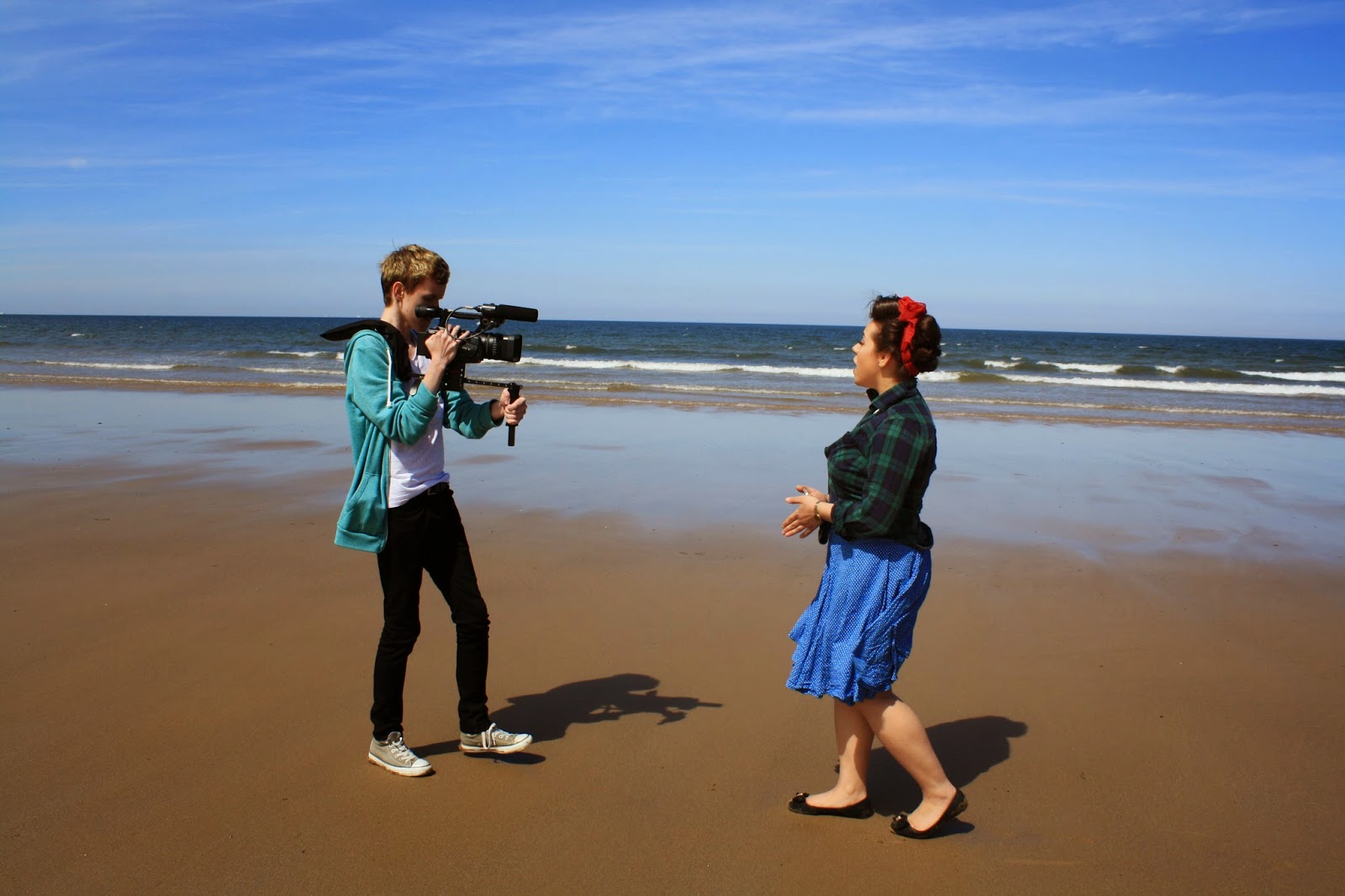


Once started, the shots seemed to go very fast, and we managed to get a lot done. Tack and Liam filled in the diary reports while Isobel planned the next shots to do, Ryan held the camera and I instructed what I wanted the actors to be doing. Tack also helped pick out which parts of the storyboard we should do next, and Isobel had some great improvisation suggestions that we could shoot. The balloons flew away accidentally quite early on in the day, meaning we wouldn't of been able to film with them how we planned, but we managed to use it to our advantage by planning out other shots we could use instead of that. Ryan injured his leg by tripping on a rock at the beach half way through shooting, so I offered to take his place as cameraman, it gave the benefit of being more eye-level with Kerrianne since Ryan was taller.
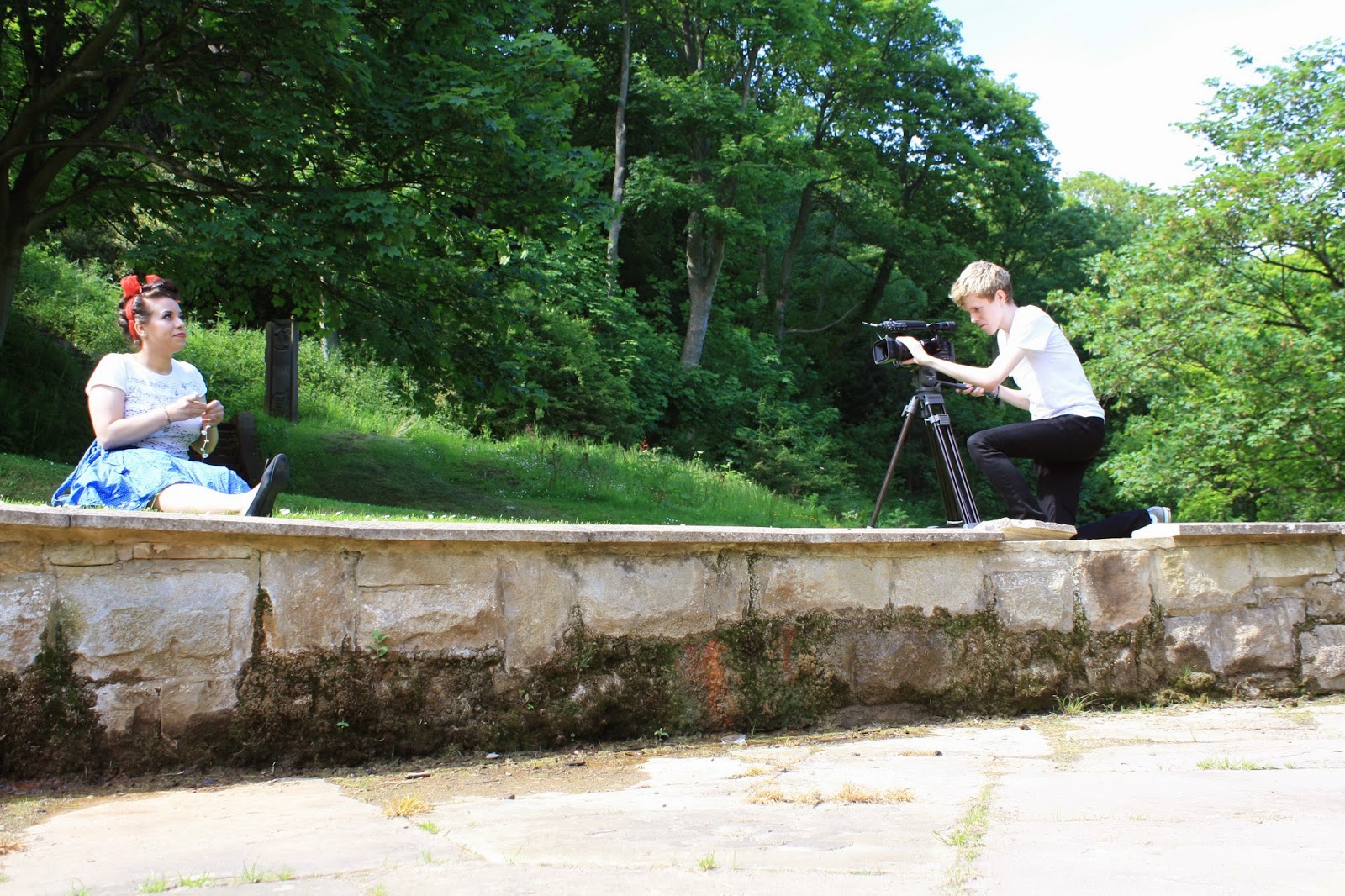


We finished up on the beach at around 2. Both Jack and Helen needed to head home due to work, so the minibus came back to pick them up. We arrived had break and arrived at Valley Gardens at half two, where we began to shoot clips of Kerrianne singing.

Kerrianne loved the whole concept of the day, and she had no complaints about anything. She brightened up the set incredibly and it was great to work with her.

We finished at around 4/4:30, and my Dad was able to drop me, Kerrianne and Isobel off at our houses, while the rest of the group managed to get the train back safety.

I think we managed to capture enough footage to create something great, even if there were setbacks such as lack of location, and a fast paced schedule, we pulled together great and had a fun time doing it.

Editing came together perfectly. Everyone had a say in the edit and were pleased with the finished result.


Wednesday, May 21, 2014

Films, Producers & Audiences - Task 4: Me and My Movies

Me and My Movies

Films can impact peoples lives. Audiences respond to films and give their reactions in multiple ways.The audience can greatly affect the film, too. Increasing its longevity of its popularity and status in our culture.

Genre - Action

As one of the main genres for Film and TV, the action genre is usually a big-budgeted production, featuring chases, battles, fights, and adventurous, often two-dimensional 'good-guy' heroes (or recently, heroines) battling 'bad guys' - all designed for pure audience escapism. They include the James Bond spy/espionage series, and some superhero films. One sub-genre to this is the disaster film.


Action is personally one of my favorite genres. It can span into a wide variety of ideas, and - if these ideas work - can produce incredible films.

Active Spectatorship

Active Spectatorship is the theory that each viewer is different. These active spectators are less susceptible to marketing, and will question and react to the film; such as the genre, narrative and camera work.

Passive Spectatorship

Passive spectatorship is the theory that all audience is the same, and they do not effect the reception of the film.

Some film makers try to turn their audience into passive viewers: filling their films with obvious and ambiguous preferred readings, by encoding meaning using music, lighting and any other film techniques, to try get as much agreement into the audience, so that they can only think one thing.

Other film makers encourage active spectatorship, by making their films more open to interpretation.


Why Watch Films?

Films are watched for pleasure. The Uses and Gratifications theory suggests that there are main pleasures that audiences gain from films.

Diversion

Audiences watch a film to be diverted from their own life. This is the most common reason to watch films. Films watched under this influence usually have an easy to understand story line, in which 'good' has a tenancy to triumph over evil.

This type of pleasure provides audience with emotions they may not feel in their usual lives. (E.g fantasy - Narnia, Harry Potter, ect.)

Personal Relationships

Audiences may watch a film as a substitute for a personal relationship. For instance viewers might choose to see a Rom-Com because they are single.

Films that are about groups of friends may help audience feel like they are part of that group.

This type of pleasure may also apply to TV shows more than Films. Soap operas being one example.

Surveylance

Audience can watch a film for its useful information. Factual Film making and Documentaries being their major watch.

They may also watch 'world cinema' to receive insight on different cultures of the world.

This could also be considered as escapism/diversion.


Frameworks of Interpretation

We we all made up of our past experiences, birthrights and current standings. Things such as age, class, ethnicity and education all make us individuals. This is considered as our Frameworks of Interpretation.  

For example, I could be a young white British man who has been through higher education and is middle class. All these factors such as my age, my class, my ethnicity, my education and even my past experiences will all have some bearing on the way I read and interpret a film. Though I might agree with many other people, there could also be differences. For example my interpretation of a film might be very different to that of an older generation, or someone of different culture.

The individual above may have just seen Avatar, and walk away from it, thinking that the basis of Avatar was all about a so-called ‘primitive’ species of aliens that taught a human that he should be more respectful of his surroundings and nature and the environment. Others may criticize it for portraying the aliens as savages, and for the use of African-American and Native American actors in the roles of the aliens could be seen as highly racist. 

Media Literacy

If an individual has been educated about the media, and are highly aware of how media texts are constructed, then they are likely to suffer an impact to their enjoyment and interpretation of films.

A viewer who is more media literate will likely be aware of what the film is aiming to display, and therefore be less suggestive to its attempts.

For example, some viewers will not enjoy fantasy films as much as others, as they are overly aware of how certain special effects are made, thus ruining part of the films natural vibe.

Intertextuality

Intertextuality is the use of referencing one piece of media into another. Parodies and Spoofs of other films - like Scary Movie - deliberately place references into their films, like Scream or The Ring.

This is also often the case with genre films and the use of stars. This is less deliberate and sometimes unavoidable.

Fandom

Although films can have an effect on their audience, the audience can have a great impact on their chosen films.

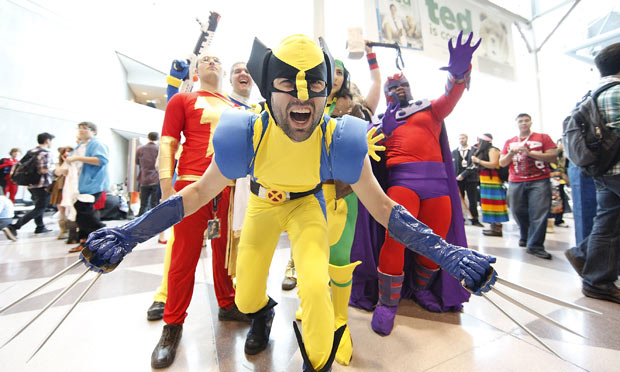
Fans display their love for the film in many ways. Conventions like attending Comic Con, an event that lets fans of many different Fandoms dress up and socialize. Writing Fan-Fiction, fans may have their own story they want to tell, featuring their favorite characters from films.


Making/Buying and wearing Cosplay, clothes that match the same as characters in films. Also producing other merchandise, too.

Making websites for their films, too, or creating a blog dedicated to their chosen film.


Tuesday, May 20, 2014

Films, Producers & Audiences - Task 2: Remaking Movies

Original vs Remake - Total Recall

For a remake to have a chance at fame, it must undergo changes to become its own. Some are radical – like changing major plot points, locations, or characters – while others are minute – like changing aesthetics or lines of dialogue – but the point is that the movie you watch is not based on the first draft. 


However, with Len Wiseman's Total Recall (2012) - compared to Paul Verhoeven's Total Recall (1990) seems to involve drastic changes in almost every aspect of the film.

Total Recall  was loosely based on the short story "We Can Remember It For You Wholesale" by Philip K. Dick. However, the 2012 movie has a plot that more closely follows the 1990 movie rather than the story.

Total Recall is an Adventure/Action/Sci-Fi piece.

General basics:


Location

  • Total Recall (1990) Earth and Mars, including aliens
  • Total Recall (2012) Earth, no aliens

Since it did not feature any alien machinery, mutants, or even the mention of Mars, the remake of Total Recall has a more grounded, serious style, which reflects the conflict occurring at the time. 

Both the set designs are highly advanced for the years they were made. 1990's Total Recall had many special effects in makeup (such as alien skin-tones, mutations, and unusual deaths) and locations. 2012's Total Recall displayed vast CGI images with incredible detail which made the film complete.


The Conflict

  • Total Recall (1990)  Mars Governor, Vilos Cohaagen, discovers an alien artifact that could threaten his control over exportation of Martian resources as well as Mars residents (who work and spend money under his administration). Resistance forces seek to activate the artifact and give control of Mars back to the working people
  • Total Recall (2012) Following World War III, which leaves much of Earth uninhabitable, there are only two hospitable locations left on the planet: the United Federation of Britain (UFB) and the impoverished Colony. Colony inhabitants travel to the UFB daily for work – via a massive transit vehicle, “The Fall.” Terrorist acts by alleged resistance fighters threaten a tenuous peace between the two nations – as the UFB considers military action against The Colony in order to stamp out potential future threats.

As shown above, the plot within the two versions of Total Recall differs completely. Not many references can be pulled from either one to compare, however most characters remained unchanged.

Protagonist

  • Total Recall (1990) Douglas “Doug” Quaid (Arnold Schwarzenegger): Construction worker who lives on Earth.
  • Total Recall (2012) – Douglas “Doug” Quaid (Colin Farrell): Factory worker in the UFB who lives in The Colony.


Quaid is shown as a man with a hidden training of fighting. He is both brave and determined, wanting to find out about his hidden memory no matter what the cost.

The way Quaid has been portrayed by both actors changed more physically than mentally.

The trends of wanting incredibly bulky, large men with almost no Achilles heel as the protagonist have faded, audiences want to see a character they can relate to, and to try gain a personal connection with them. 2012's Douglas Quaid is shown more human.


Primary Antagonist

  • Total Recall (1990) – Vilos Cohaagen (Ronny Cox): Corrupt Governor of Mars.

  • Total Recall (2012) – Vilos Cohaagen (Bryan Cranston): War veteran turned UFB Leader.


Cohaagen is the twisted enemy of Quaid. We see Vilos in the 1990's version drastically more than the 2012 version. It's understandable that Bryan Cranston was starred for this role, what with Breaking Bad, a TV series which he stars in has reached major popularity, many audience members would be interested to see Total Recall because of this. However Cohaagen did not seem to have a large on-screen role, and in fact many were dissapointed that Bryan was given a character that he deserved. 

Wife

  • Total Recall (1990) – Lori Quaid (Sharon Stone): A Cohaagen Operative.
  • Total Recall (2012) – Lori Quaid (Kate Beckinsale): A United Federation of Britain Operative.


Lori is shown as the wife of Quaid. Her act of a loving and dedicated woman to Quaid degrades as Doug slowly realizes something is wrong with his life. Both versions of Lori are shown as incredibly strong, both physically and mentally, and cares only for her mission of killing Quaid.

Both versions of Lori were probably starred for the male audience in mind. The beauty of Lori was important for both stories, as it showed her (at the start) as the caring wife of Quaid, depicting a happy lifestyle that he would never question. For the mainstream audience, it is pleasing to see a female character who is both good looking and a strong antagonist who can fight.

'True' Love

  • Total Recall (1990) – Melina (Rachel Ticotin): A Mars resistance fighter.
  • Total Recall (2012) – Melina (Jessica Biel): A Colony resistance fighter.


Melina is portrayed roughly the same in both versions of Total Recall. She is a resistance fighter, who convinces Quaid that he is not who he thinks he is, and that his dreams are real.

(1990 Trailer)

(2012 Trailer)

Other Details:


Box-office Figures

Both Recall's seemed to do well in their figures.

1990:

Budget - $65.000.000

Opening Weekend

$25.533.700 (USA)
£175.166 (UK)

2012:

Budget - $125.000.000

Opening Weekend

$25.577.758 (USA)
PHP 28.809.494 (Philippines)

Awards


The original unquestionably more awards than the remake. It was nominated for 15 awards - including two Oscars - and holds 7 wins. The remake however, was nominated for four awards, and won none.


http://screenrant.com/total-recall-2012-vs-1990/4/

http://www.cinemablend.com/new/Guide-Total-Recall-You-Didn-t-See-32326.html

http://filmconnoisseur.blogspot.co.uk/2012/08/original-vs-remake-comparison-total.html

http://en.wikipedia.org/wiki/Total_Recall_(1990_film)

http://en.wikipedia.org/wiki/Total_Recall_(2012_film)

Monday, May 19, 2014

Software Skills Development


This portfolio will cover the development of digital graphics. I use a range of tools and features that help me build up to the final design of the Anaesthetic poster, as well as its DVD cover and sleeve.


Quick Selection

One major skill I needed to learn was how to select objects of interest. There are multiple ways of these tools in photo-shop, and the method would vary depending on the type of object that needs selecting. This can vary between simple things like doors or tables, or something more tricky such as hair or trees.

Magic Wand Tool

The most easiest to use, the magic wand tool is effective mainly if the background you are selecting is a solid color.

The image must be in a layer, clicking on the background layer and choosing the 'layer from background' box, and then using the magic wand tool to click on the background. After that, with the background selected, you can delete it, and place a new background underneath.

Color Channels

The more complex selection, the Color Channel deals mainly with things such as hair.


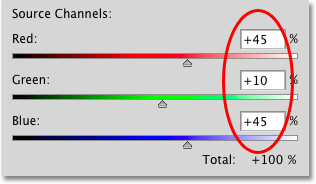
By using the color channels to brighten and contrast the original picture, I am able to make the object I need in pure black of color - including each strand of hair - while the background is contrasting, and therfore pure white. This gives me the chance to select the object easily as it is contrasting from the background. I can then delete the background, or place the object I want into another image. 

I attempted this tool multiple times, since our two main actors for Anaesthetic had hairstyles that would need to be precisely cut.


This tool is tricky and time consuming but worth it, if you have objects with precise and delicate strands of hair. 

Color Experimenting

Photoshop offers a wide range of tools you can use to affect the color of the pictures. You can reduce the hue and saturation, increase the darkness, or make it translucent. 

These simple tools can help a project greatly, they may set the picture in a certain time period, or just make it seem more aesthetically pleasing.


Final Cut

The finished product of the poster is below. The color channel tool is the one which was mainly used in the making of this.


Also the DVD cover, which covers a lot of toning down the saturation to give the pictures more of an old fashioned look.


I regret not experimenting with other tools, as there are many I have yet to discover, but I have not fully familiarized myself with photo shop yet, and will still need to go over the basic tutorials. However overall I feel like I have gained enough knowledge to try things again.

http://www.webdesign.org/photoshop/photoshop-basics/5-quick-selection-tool-in-photoshop.21990.html

Graphics File Formats and Applications


In this article, I will be covering the basics of how to make printed promotional materials - such as posters and DVD sleeves, to go with other products.

Raster and Vector

Raster images are made of pixels. A pixel is a single point, or the smallest signle component in a display devise. It's easy to think of them as little tiny squares or dots of color.

Vector images are mathematical calculations from one point to another, that form geometrical shapes.


Above, we can easily see the difference, although this is difficult to spot from a normal view.

When a raster image is scaled up, it loses its quality. A raster image can be enlarged by either adding more pixels (Which photo shop adds) or increasing the size of the pixel. This comes at risk of losing clarity.

A vector program will use a mathematical formula to make an image which can be scaled to any size without losing quality.

Raster Images

Also known as Bitmap images, raster images' dimensions are measured in pixels. Since they cannot be enlarged without losing quality, they require a specific pixel resolution: a specific amount of pixels within an inch. The amount of pixels in each inch of the image represents the image pixel resolution, or PPI (pixels per inch).

• Common raster image files: jpg, jpeg, gif, png, tif, tiff, bmp, psd and pdfs originating from raster files
• Common raster programs: paint programs like Photoshop & Paint Shop
• Common raster images: photographs, painting

Vector Images

Vector graphics are made of mathematical calculations that form objects or lines - they do not use pixels, and therefore resolution-independent, meaning they can be used at the highest resolution the output devise allows. Vector files can be scaled to any size without losing quality.

• Common vector graphic file format: eps ai, cdr, ps, pdfs originating from vector files
• Common vector graphic programs: drawing programs such as Illustrator, CorelDraw, FreeHand
• Common vector graphics: drawings, illustrations, cartoons


Vector or Raster?

This depends on the design itself. If it's going to have photogenic elements, with continuous tones and blends of color, it's best using a pain program (Photoshop) which is a raster program, which specializes in photo editing.

If you want your final design to look like an illustration instead, with clear contrasts between objects and shapes, use a vector program.


File Formats

PSD - Default photoshop file format. Can add layers, alpha channels, smart objects. Photoshop saves all of these photoshop layers on the PSD file.

TIFF - Saves anything the PSD file can save. TIFF can go beyond the adobe applications. 

JPEG - Flattens the image to one layer. Always compressed (Glossy compression) JPEG throws away alot of colors to make the file so small. Good to share images. Can support many colors.


GIF - Another flat file. Maximum of 256 colors, but can support transparency.

PNG - Good for working with other applications. Limited to single layer. 256 levels of transparency, subtle layers of transparency. Good for web graphics and watermarks.

PDF - Good for distribution. Allows to apply security settings. Password protection. 

DNG - Openly documented, openly licensed. Saves out RAW files.

Resolution

Halftone - Printing Press. Not continuous tone. Converted into halftone pattern. Dot pattern. Series of dots for each CMYK (Cyan, Magenta, Yellow, Black) ink. When dot patterns are printed, they create the illusion of the continuous tone. E.G newspaper, looking closely will reveal these tiny dots.

Continuous Tone - Inkjet printer, around 240 x 360 pixels per inch for aesthetics. Not same dot pattern as Halftone.

Screen - Monitors, tablets, projectors. Total pixel count, resolution wont matter. Need to make sure the image is small/large enough for that certain devise.

Examples of Work

Here are my final designs for the film 'Anaesthetic's poster and DVD sleeve.